Series · 12 of 13 parts · 407 min so far
Codex App Server in Production
Build Pagewright, an AI website builder with FastAPI and Next.js, by speaking the raw JSON-RPC protocol behind every Codex surface: describe a site, watch it assembled in a live preview with diffs, approvals, and steering, then ship it to a real server.
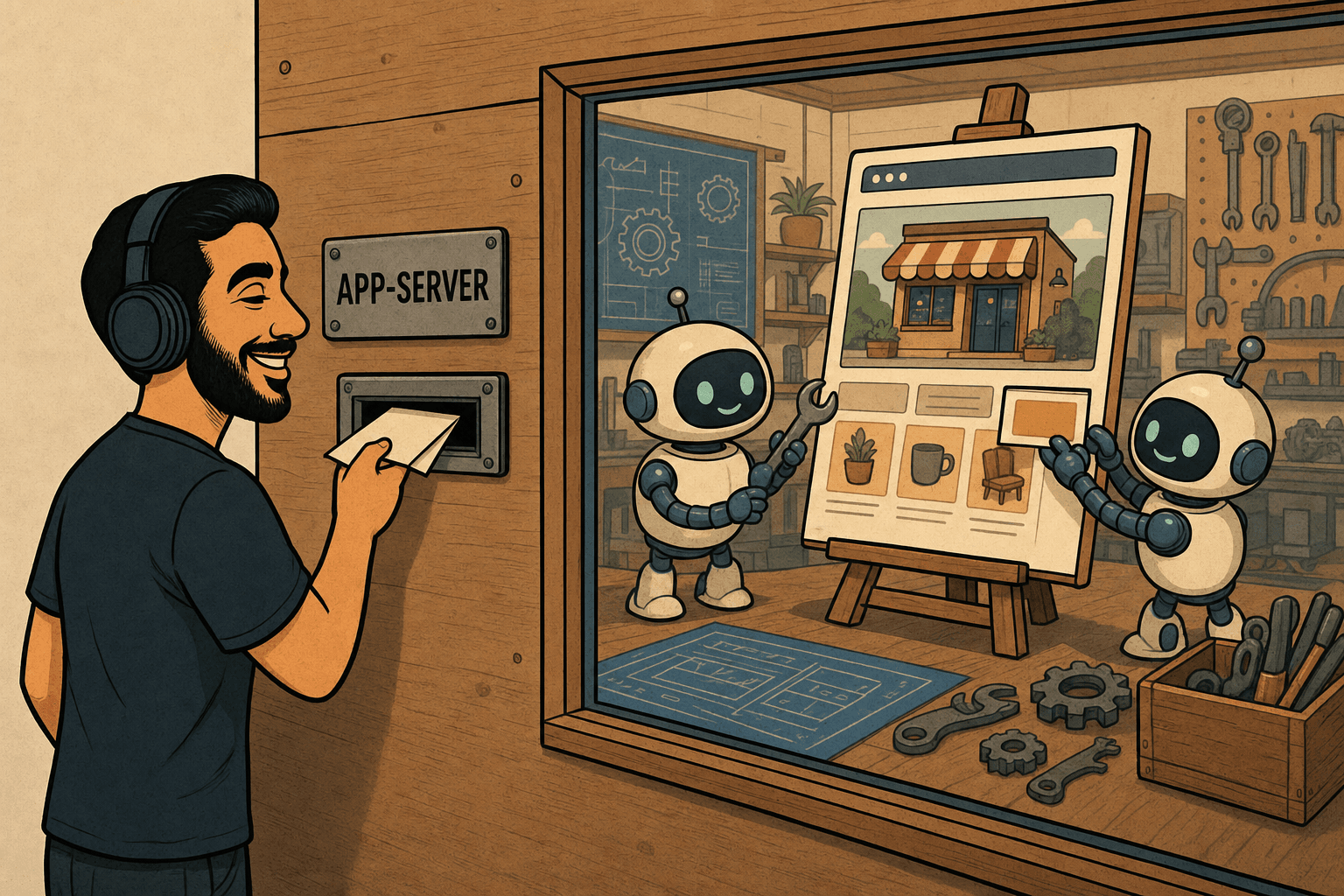
codex app-server is the engine inside every Codex surface. The CLI, the IDE extension, the web app, and the desktop app are all clients of the same JSON-RPC process, and OpenAI opened that process to everyone. This series builds on it directly: no SDK, no wrapper, nothing between you and the engine. You write the JSON yourself, read every notification the agent emits, and answer the requests it sends back. By the end of Part 1 you're speaking the same protocol VS Code speaks.
What you build is Pagewright, an AI website builder that runs on your machine and, by the end, on a real server. Describe a site in plain English ("a one-page site for a specialty coffee chain: warm, editorial, a menu section") and watch the agent assemble it file by file in a live preview: commands streaming, patches landing, a diff drawer showing exactly what changed. Risky actions wait for your Approve click. You can steer a build mid-flight ("actually, make the header green") without restarting it. And before anything ships, the agent's own reviewer inspects the work; the Publish button has to be earned.
Thirteen parts, three acts:
- Act I (Parts 1 to 5): build the product. Speak the protocol by hand, wrap it in a real async client behind FastAPI, stream into a chat UI, then the hero feature: per-project workspaces with a live preview and a diff drawer. Close with projects that persist, resume, and fork.
- Act II (Parts 6 to 9): control. Codex's safety model is sandbox-first: the OS itself fences what the agent may touch, and you tune the fence. Then human-in-the-loop approvals, a Stop button that works, mid-turn steering, a live token meter, and streams that survive a page refresh.
- Act III (Parts 10 to 13): advanced capabilities and shipping. Plans before demolition, structured questions, reasoning depth as a dial, the built-in reviewer gating Publish, structured outputs and smoke evals, MCP servers and skills and AGENTS.md, and a real deployment to a Hetzner VM where published sites get real URLs.
Which series first?
This is the third series on this blog built from FastAPI, Next.js, and server-sent events, and the three are deliberate rungs on one ladder:
- If FastAPI or Next.js are new to you, start with LangGraph from Scratch. It teaches every fundamental this series assumes, from your first endpoint to a deployed chatbot, and whenever a basic comes up here, the exact LangGraph part that teaches it is linked.
- Claude Agent SDK in Production is this series' SDK-flavored twin. That one drops in a crate engine via a Python library and builds a product around it; this one hands you the wiring harness and no crate. You don't need it first. This series stands alone. But readers of both will feel the rhymes, and they're on purpose: the same streaming contract carries both engines, and finishing both means you've effectively built a provider-agnostic agent layer.
- Start here if you can write a FastAPI endpoint and a React component and you want the thing nobody else has written up: building a product on the app-server protocol itself.
Four rules hold across all thirteen parts:
- Every part ends with something running. Never "trust me, this pays off later".
- Versions are pinned, hard. The app-server protocol is explicitly experimental and moves faster than any dependency in the sibling series. Every part states the exact CLI version it was written and tested against, the companion repo vendors the generated protocol schema for that pin, and the final part shows you how to re-verify against a newer version yourself.
- Costs are real. Agent loops multiply tokens, so every part prints what its runs actually used, measured from the protocol's own usage notifications, and the habit graduates into a live meter in Part 8.
- Errors are part of the curriculum. Each part breaks something on purpose and reads the real output with you: the handshake wall, the killed subprocess, the kernel refusing a write.
All the code lives in the companion repo, codex-app-server-in-production: one folder per part, each the complete project exactly as it exists at the end of that part, tested end to end against the pinned CLI. Inside every part, code blocks with a GitHub icon in the header link straight to the exact file in the repo.
What you need: a laptop (macOS or Linux; on Windows, WSL2), a terminal, and either the ChatGPT plan you already pay for or a few dollars of OpenAI API credit. Part 1 covers the login and how to cap what you can possibly spend.
The parts
Act I · Build the product
Part 01
Setup and Your First Thread
The Codex CLI is secretly a server, and every Codex surface is one of its clients. By the end of this page, so is a Python script you wrote: one prompt in, a real website out.
· 30 min
Part 02
The FastAPI Bridge and the Event Vocabulary
Part 1's throwaway script grows into a real async client, the engine goes behind a URL, and its work streams as six kinds of labeled parcels. The next eleven parts only ever add labels.
· 32 min
Part 03
The Builder UI
Commands become live badges with output scrolling inside them, the model's reasoning gets a drawer, and the answer types itself out. The event vocabulary grows by two, and no client breaks.
· 34 min
Part 04
Workspaces, the Live Preview, and the Diff Drawer
Every client gets its own desk, the site assembles itself behind glass as patches land, and the turn's changes become before/after photos in a slide-over drawer. The screenshot this series was sold on.
· 33 min
Part 05
Threads That Persist: Projects, Resume, and Fork
Restart the backend and the conversation survives, because the engine never stopped writing it down. Projects grow memory, an auto-title, a sidebar, and a Fork button that gives one site two futures. Act I closes.
· 30 min
Act II · Control
Part 06
The Sandbox: What the Builder May Touch
Act II opens with a kernel saying no. Three trust modes ride one structured policy per turn, the agent gets run into the walls on purpose from both sides, and the wire turns out to tell you less about it than you'd hope. Knowing exactly how much less is the production lesson.
· 32 min
Part 07
Approvals: The Foreman's Stamp
The protocol turns around: the engine sends your backend a numbered JSON-RPC request and freezes mid-turn until somebody answers it. A Future parks in a registry, the approval card shows the actual patch, and when nobody clicks, the clock says no for you.
· 34 min
Part 08
Stop, Steer, and the Meter
Live control over a running turn. A Stop button wired to the truth (the agent halts, the shell finishes, the files stay), a composer that redirects a build mid-swing without restarting it, and a token meter that finally answers what this turn cost.
· 31 min
Part 09
Durable Streams: Survive the Refresh
POST /chat becomes a claim ticket, a background consumer writes every event to a SQLite log, and every tab becomes a disposable viewer. Refresh mid-build and the conversation rebuilds itself mid-sentence. Kill the backend mid-build and the UI tells the truth about the one thing that died.
· 39 min
Act III · Advanced capabilities and shipping
Part 10
Plans, Questions, and the Reasoning Dial
Act III opens: a Plan-first toggle sends the builder out read-only to propose before it acts, the engine's own checklist ticks itself across every tab, item/tool/requestUserInput freezes a turn until you pick a palette, and effort stops being a constant.
· 33 min
Part 11
Trust but Verify: Review Mode, Structured Outputs, and the Publish Gate
The series' longest setup pays off: review/start catches a brand contradiction planted seven parts ago, outputSchema turns a final answer into a validated site manifest, a page of smoke evals runs on ephemeral threads, and the Publish button has to earn its click.
· 39 min
Part 12
The Wider Workshop: MCP Servers, Skills, and AGENTS.md
Three ways to extend the builder without touching a prompt: standing rules the engine reads on its own, a pattern book loaded per turn, and rented power tools that ask permission on every single call, even when approvalPolicy says never ask.
· 40 min
Parts 13–13 are being written. They appear here as they ship.